
A clear take.
Kept close.
Your screen. Your voice.
Your own files.
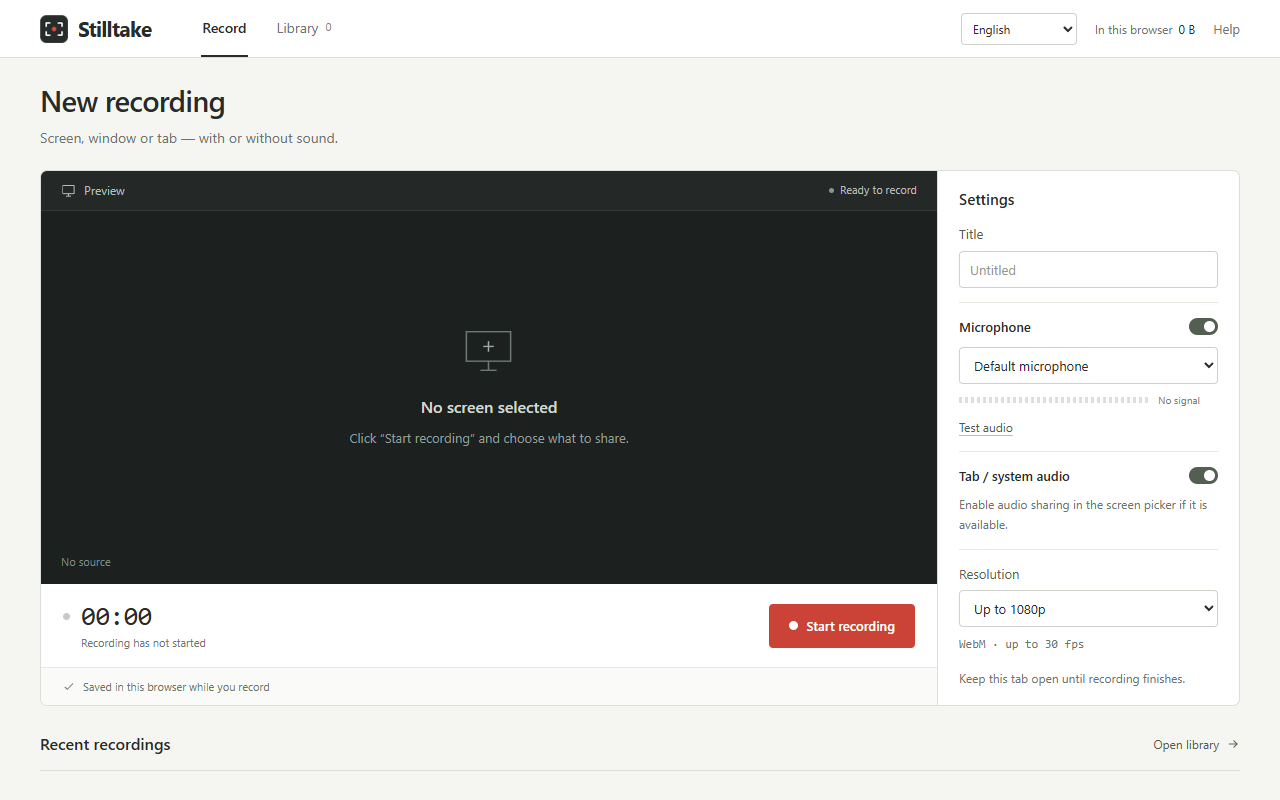
Capture a tab, window, or screen. Keep your recordings on your device, then save the ones that matter as WebM files.
See how it worksPre-release. Purchases and downloads are not available yet.
FROM SCREEN TO FILE
A little setup.
Then, your story.
Walk through a project, explain an idea, or show someone the next step. In the planned paid release, activate your license first, then follow these three steps.
- 01
Find your voice.
Choose your microphone and listen back to a five-second test. Turn the microphone off whenever you only need the screen.
- 02
Choose your frame.
Select a tab, window, or screen in Chrome’s sharing dialog. Start recording, pause when you need to, and keep the studio tab open.
- 03
Keep your take.
Finish, check the picture and sound, then download a WebM file. Your local library keeps recordings ready to find and review.
THE USEFUL DETAILS
Room for the recording.
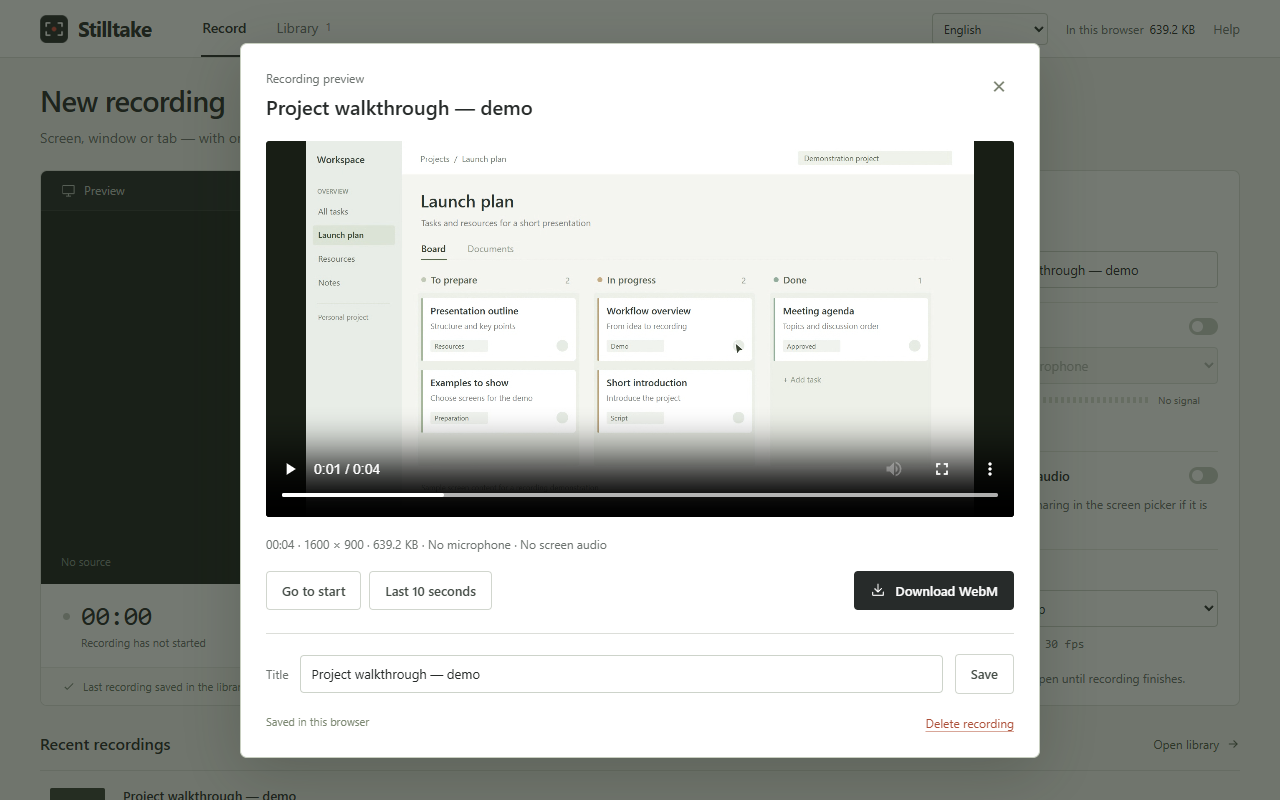
And a moment to review.
- Sound, when you need it.
- Record your microphone and available tab or system audio. Source audio depends on your operating system, selected source, and Chrome’s sharing options.
- The right amount of detail.
- Choose up to 720p, up to 1080p, or the source resolution. Pause and resume without starting a new recording.
- A library on your device.
- Search, preview, rename, download, or delete your videos. Chunks are saved while recording; after an interruption, saved portions may be recoverable, but complete recovery is not guaranteed.
English · 中文 · हिन्दी · Español · Français · العربية · বাংলা · Português · Русский · اردو
The studio detects your browser language and lets you change it. Arabic and Urdu use a right-to-left layout.
PLANNED PRICING
One purchase.
Your next take.
A one-time license for creating new recordings.
No subscription.
One-time purchase · planned price
Purchases and downloads are not available yet. Applicable taxes will be shown at checkout when sales open.
Saved recordings remain available to view and export even without an active license. Screenshots show an earlier build; license activation is being prepared for the paid release.
A CLEAR DATA PATH
Your video stays here.
Your license gets checked.
The planned paid release separates your local recording library from license activation and checkout. Here’s what that means.
On your device
Recordings, audio, microphone samples, and recording metadata are never transmitted by the extension. Your library stays in your Chrome profile.
There are no analytics, ads, application accounts, or cloud video storage in the extension.
For your license
Activation, validation, and deactivation connect to Lemon Squeezy. Checks send your license key and activation identifier; the provider also receives network information such as your IP address.
Checkout will open on a separate website for email, billing, and payment. The extension does not handle card numbers or retain customer names or email addresses returned by the license API.
License details and your interface language are saved locally. Deactivation leaves your videos and provider-held purchase records in place.
Current privacy policyThe current public policy describes the earlier 0.1.2 build. It will be updated with paid-release licensing details before sales open.
Can I buy or install Stilltake now?
Not yet. Stilltake is in pre-release development. The payment service and paid release are being prepared; purchases and downloads are not available. The planned price is $10 USD as a one-time purchase, with no subscription.
Will I be able to record offline?
The planned paid release needs an internet connection for activation, validation, and deactivation. While you use the extension, it refreshes validation when the last successful check is at least 24 hours old. During a temporary connection or service failure, recording access can continue for up to seven days after a successful check. An invalid or revoked license does not receive offline access.
Your saved recordings remain available to view and export without an active license.
What can I record and export?
Choose a tab, window, or screen, with optional microphone and available source audio. Stilltake requires Chrome 116 or newer and exports WebM files. MP4 conversion and camera recording are not available. Source audio support depends on your operating system, Chrome, and the chosen source.
Are there recording or storage limits?
Recording length depends on your device and free disk space. Local storage is not unlimited. Keep the studio tab open while recording; closing it stops the recording. After a failure, unsaved chunks may be missing, and complete recovery is not guaranteed. Preview important recordings and download separate copies.
What happens when I remove the extension?
Removing the extension, its data, or your Chrome profile removes the local library. Files you already downloaded remain separate. There is no server backup of your recordings.
In the planned paid release, deactivate your license before removing the extension when possible. Removing local data does not remove purchase records or necessarily release an activation with the license provider; contact support if you lose access to an activation.
LET’S KEEP IT SIMPLE
A question, an idea,
or a little feedback?
nuriknygmet@gmail.com Stilltake is in development. We’d like to hear what would help you make your next recording.